Types of Data Security — Encryption, Access Control, and More
Data security is not one product or one setting. It is a layered system of encryption, access rules, network controls, backups, physical safeguards, privacy choices, and recovery plans that work together.
This guide explains what each layer does, when it matters, where built-in tools are enough, and when dedicated software can add useful file-level control.
Data Security Field Guide Editorial TeamAugust 17, 202624 min read
Quick answer
The main types of data security are encryption, access control, network and cloud security, endpoint and physical protection, masking or tokenization, DLP, backup and recovery, and privacy or minimization. Strong setups combine several because each solves a different failure mode.
At a glance
Protection works in layers
Encryption
Protects confidentiality when devices, drives, files, or backups are lost or copied.
Access control
Restricts who can use data and what each identity is allowed to do.
Network security
Limits unsafe connections and protects data as systems communicate.
Cloud security
Combines identity, secure sharing, encryption, logging, and recovery.
Physical security
Reduces unauthorized access to devices, media, rooms, and infrastructure.
Privacy controls
Reduce collection and exposure so there is less sensitive data to steal.
can undermine several strong ones. Encryption cannot fix a stolen account, access control cannot restore deleted files, and a backup does not stop data theft.
Plain-English definition
What are types of data security?
They are categories of controls that protect information against unauthorized access, disclosure, modification, destruction, loss, and unnecessary collection.
Good data security is not a single lock. Storage, identity, networks, devices, recovery, and privacy should reinforce one another.
Choose your path
What are you trying to solve?
Start with the methods guide if you want to build protection from scratch.
Head-to-head
Compare native, software, and free approaches
Approach
Best use
Strength
Setup
Cost
Limitation
Built-in OS encryption
Whole-device loss
Strong
Low–Medium
Often included
Does not create a portable file boundary after files leave the device
Free/open encryption
Containers and technical workflows
Potentially strong
Medium–High
Often free
Recovery and workflow may be less friendly
Dedicated file-security software
Selected files, portable lockers, private records
Strong for intended use
Medium
Free tier or paid
Adds another application and account
Cloud-provider controls
Collaboration and sharing
Strong platform security
Low–Medium
Bundled with service
Misconfigured sharing and account takeover remain risks
Verdict: use built-in full-disk encryption as a baseline where available, then add file-level controls only when protection must follow selected data.
Real-world needs
Use case scenarios — who needs this and why
Personal laptop
Use full-disk encryption, strong sign-in, backups, and a separate file-level layer only for the most sensitive files you copy or share.
Cloud-heavy workflow
Focus on account security, sharing permissions, version recovery, and client-side encryption if plaintext should stay outside the provider.
Team or database
Use roles, least privilege, privileged-account separation, logging, and periodic access review.
High-value accounts
Use passkeys or a supported hardware security key and keep a separate recovery method.
Privacy-first user
Reduce collection, remove stale accounts, narrow permissions, and protect the accounts that still hold sensitive information.
Risk matrix
What each security layer protects, and what it does not
Encryption
Helps against lost or copied storage
Protects confidentiality at rest
Does not stop an authorized session from reading data
Does not create backups
Access control
Limits users and actions
Supports least privilege
Stolen valid credentials can still be dangerous
Does not restore deleted data
Network security
Limits unsafe traffic and movement
Supports secure network paths
A firewall alone does not encrypt all traffic
Cannot secure a compromised endpoint by itself
Backup and recovery
Reduces loss from deletion or failure
Supports recovery after many incidents
Does not stop exfiltration
Unencrypted backups can become another exposure point
Where dedicated software can help
When file-level protection needs to follow the data
Built-in disk encryption is a strong baseline, but it mainly protects the device while it is locked. If selected files move between devices or need a separate boundary, dedicated software can be more convenient.
We cover Folder Lock later because its current version combines file and folder protection, portable encrypted lockers, private-record storage, and cross-device workflows. It does not replace backups, software updates, or strong account security.
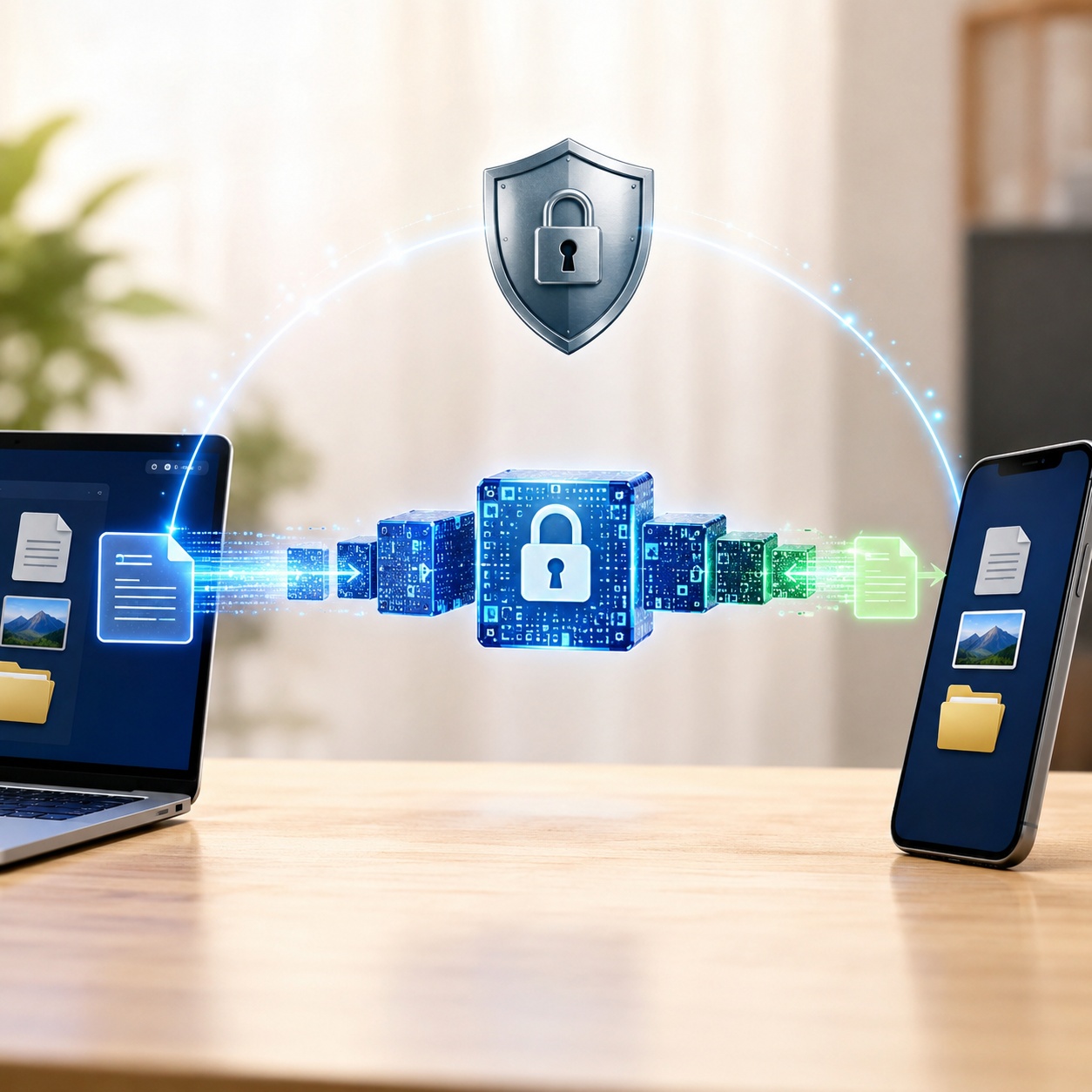
Encryption makes copied or stolen data unreadable without the correct key.
Exact questions, direct answers
Common device, file, app, and platform questions
usb data security
Encrypt sensitive removable-media data, keep a separate backup, avoid unknown computers, and control where USB drives are inserted. Portable protection should not depend on a hidden filename or a simple password prompt alone.
mac data security
Use FileVault for the startup disk, strong account authentication, current updates, secure backups, and careful app permissions. Add file-level encryption when selected files need protection after they leave the Mac.
mobile data security
Use a strong screen lock, automatic updates, encrypted backups, restricted app permissions, account MFA, and remote-find or wipe features.
iphone data security
Use a strong passcode or biometrics, protect the Apple account, review iCloud and app permissions, keep iOS current, and treat account takeover as a major risk.
app data security
Review permissions, connected accounts, cloud sync, exported files, and backup behavior. A protected local app can still leak data through sharing or weak account recovery.
what are the most important data privacy settings to enable
Start with location, contacts, camera, microphone, ad personalization, public profile visibility, and third-party account connections.
best drive encryption software
Choose drive encryption based on platform support, recovery controls, maintenance, and whether you need full-disk, removable-drive, or file-level protection. Built-in tools are often the simplest baseline.
best data encryption software
Match the tool to the job: full-disk encryption, portable containers, cloud encryption, enterprise key management, or simple file protection.
best cloud encryption software
Decide whether provider-managed encryption is enough or whether you need client-side encryption before upload. Client-side protection gives more control but shifts recovery responsibility to you.
best disk encryption software 2025
The durable criteria remain the same in 2026: maintained software, strong recovery design, platform support, documented cryptography, and a workflow you can operate correctly.
insert your security key into the usb port microsoft
When a legitimate Microsoft sign-in flow requests a FIDO2 key, insert the registered hardware key, choose security-key sign-in if needed, and complete the PIN, touch, or biometric step.
security key usb windows 11
Windows 11 can use supported FIDO2 security keys in compatible sign-in scenarios. A key stores a cryptographic credential; it is not just a USB drive containing a password file.
create microsoft security key usb
Register a compatible FIDO2 key through the Microsoft account or Microsoft Entra security settings available to you. Do not assume a generic flash drive can be converted into the same thing.
samsung s25 usb data access security features
USB exposure on a modern Android device depends on lock state, USB mode, developer options, app permissions, and platform updates. Keep USB debugging off unless you specifically need it.
Find the right answer type
Methods, troubleshooting, comparison, and recovery
Use a method guide when choosing a control, a comparison when several controls could fit, troubleshooting when a legitimate setup is failing, and owner recovery when you are locked out of data you own. This guide does not provide bypass, cracking, credential-dumping, or unauthorized-access instructions.
Complete guide
Types of data security methods and how they work
The right method depends on the threat. This chapter covers free and built-in options, manual practices, and specialized controls.
Difficulty: MediumSetup: 10–30 min
Encryption at rest
Transforms readable data into ciphertext. Use full-disk encryption for whole-device loss and file or container encryption when protection must follow selected data.
Security: High. Best for: Laptops, drives, sensitive folders.
Where it helps
It addresses a distinct failure mode and works best as one part of a layered plan.
Where it falls short
Key recovery matters. Encryption does not stop an already-authorized session from copying data.
Difficulty: MediumSetup: 15–60 min
Access control
Uses identities, roles, attributes, permissions, and policies to decide who can read, change, delete, or share data.
Security: High. Best for: Shared PCs, databases, cloud systems.
Where it helps
It addresses a distinct failure mode and works best as one part of a layered plan.
Where it falls short
Shared accounts, excessive privilege, and stale permissions can undermine the design.
Difficulty: HighSetup: 30+ min
Network data security
Uses segmentation, firewalls, secure protocols, monitoring, and identity-aware policies to protect data moving between systems.
Security: High. Best for: Home networks, offices, servers.
Where it helps
It addresses a distinct failure mode and works best as one part of a layered plan.
Where it falls short
A firewall does not automatically encrypt every transmission; TLS, IPsec, SSH, and VPN tunnels provide encryption in transit.
Difficulty: MediumSetup: 15–45 min
Cloud data security
Combines account security, encryption, controlled sharing, logging, backups or versioning, and cloud configuration.
Security: High. Best for: Cloud documents and remote collaboration.
Where it helps
It addresses a distinct failure mode and works best as one part of a layered plan.
Where it falls short
Misconfigured links and stolen accounts can expose data even when storage encryption is enabled.
Difficulty: Low–MediumSetup: 10–60 min
Physical data security
Restricts physical access to devices, media, rooms, racks, backups, and printed records.
Security: Medium–High. Best for: Homes, offices, data centers.
Where it helps
It addresses a distinct failure mode and works best as one part of a layered plan.
Where it falls short
Physical safeguards cannot replace encryption and account security against remote compromise.
Difficulty: HighSetup: Project-based
Data masking and tokenization
Reduces exposure by hiding values or replacing sensitive values with tokens in lower-trust workflows.
Security: High. Best for: Testing, analytics, payments.
Where it helps
It addresses a distinct failure mode and works best as one part of a layered plan.
Where it falls short
Implementation can be complex, and reversible tokenization still requires protecting the token vault.
Difficulty: HighSetup: Hours–days
Data loss prevention
Classifies sensitive information and applies policy when it is copied, emailed, uploaded, printed, or moved.
Security: High. Best for: Organizations with regulated data.
Where it helps
It addresses a distinct failure mode and works best as one part of a layered plan.
Where it falls short
DLP needs tuning and context; aggressive rules can create false positives.
Difficulty: Low–MediumSetup: 15–60 min
Backup and recovery
Maintains recoverable copies so accidental deletion, device failure, or many ransomware events are less destructive.
Security: High. Best for: Anyone with irreplaceable data.
Where it helps
It addresses a distinct failure mode and works best as one part of a layered plan.
Where it falls short
Backups do not prevent theft. Sensitive backups should also be encrypted and access-controlled.
Difficulty: Low–MediumSetup: 5–20 min
Security keys and passkeys
Uses hardware-backed or device-bound credentials for stronger, often phishing-resistant authentication.
Security: High. Best for: High-value accounts and administrators.
Where it helps
It addresses a distinct failure mode and works best as one part of a layered plan.
Where it falls short
A generic USB flash drive is not automatically a FIDO2 security key.
Difficulty: LowSetup: 15–45 min
Privacy controls and minimization
Reduces collection, tracking, app permissions, retention, stale accounts, and public exposure.
Security: Medium–High. Best for: Browsers, phones, apps, online accounts.
Where it helps
It addresses a distinct failure mode and works best as one part of a layered plan.
Where it falls short
Privacy settings do not replace encryption, secure authentication, or software updates.
Interactive tools
Test your current data security setup
Data security knowledge quiz
Answer both questions.
Personal data risk score calculator
Check the statements that apply.
Privacy settings audit guide
0 of 6 completed
Data breach impact quiz
Simple triage only, not a forensic assessment.
Interactive data privacy audit
Answer the three questions.
Data breach impact estimator
Choose the closest match.
Privacy tool recommendation quiz
Choose a goal.
Security rating tool
Ratings describe one control’s value for its intended job, not total security.
Interactive breach timeline
How a data breach can unfold
Entry
An attacker, insider, lost device, or misconfiguration creates an initial path. Strong authentication, patching, encryption, and safe sharing reduce the chance that this succeeds.
The tool we recommend for most users
Why we recommend Folder Lock when built-in controls are not enough
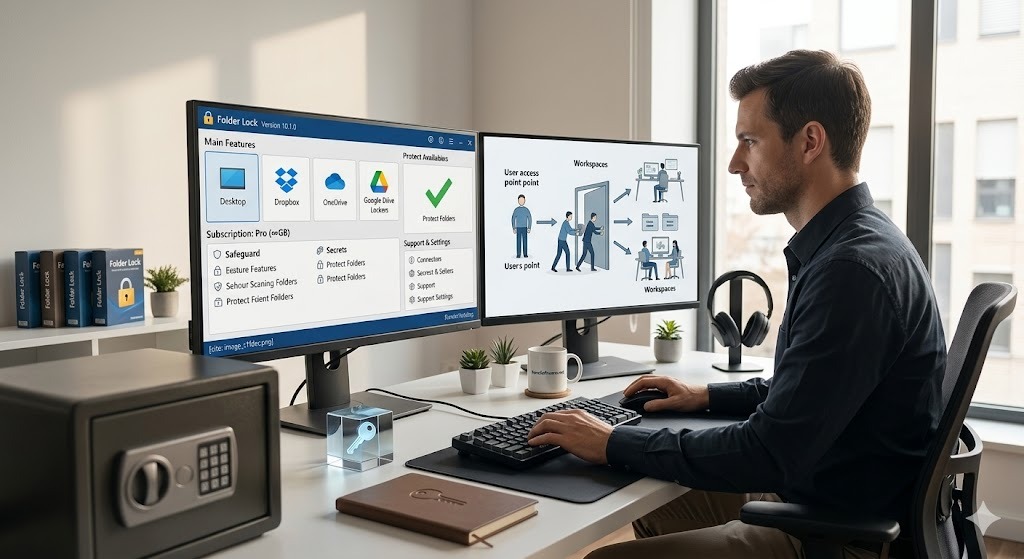
We recommend Folder Lock for users who want a guided file-level workflow across selected files, portable encrypted lockers, and private records without assembling several separate utilities.
Current NewSoftwares documentation describes Folder Lock 10 as a cross-platform security application with AES-256 encryption, protected files and folders, portable lockers, private-record storage, and cloud-linked workflows. The free version is limited, while the current Pro store listing is $39.95 per year.
Limitations: it adds another application and account; Pro is subscription-based; and it does not replace full-device encryption, backups, updates, or phishing-resistant account security.
Best when selected files need a dedicated layer beyond the device login. Current vendor material describes AES-256 encryption.
Not ideal for: replacing full-disk encryption across a centrally managed fleet.
Portable encrypted lockers
Useful when a protected data set needs to move between supported locations without relying on plaintext copies.
Private records
Current Folder Lock 10 workflows include protected notes, passwords, wallets, and other private records in the Secrets area.
Cross-device workflow
Current NewSoftwares material positions Folder Lock 10 across Windows, macOS, iOS, and Android. Verify exact feature parity on the platform you plan to use.
At-a-glance reference
Types of Data Security Control
Method
Difficulty
Security
Cost
Best for
Limitation
Full-disk encryption
Low–Medium
High
Often included
Lost-device protection
Unlocked sessions can still access files
File/container encryption
Medium
High
Free to paid
Portable files
Recovery and key management
Access control
Medium–High
High
Included to enterprise
Shared systems
Valid stolen credentials remain dangerous
Backups
Low–Medium
High for recovery
Free to paid
Availability
Do not stop theft
Folder Lock
Medium
High for intended file-security use
Limited free tier; current Pro $39.95/year
Guided file and portable protection
Additional app and Pro subscription
Verdict: there is no universal winner. Layer device encryption, access control, backups, and file-level security according to the risk.
Step by step
How to solve the Types of Data Security problem using Folder Lock
Choose the data first
Identify files that genuinely need another protection layer and confirm you have a safe backup.
Download from the official source
Install Folder Lock from NewSoftwares and complete the current account setup shown by the application.
Choose the relevant protection workflow
Use file protection or the portable-locker workflow depending on whether the data stays on one device or moves between locations.
Set recovery safeguards
Use a strong credential and keep recovery information somewhere separate from the protected data.
Test normal access and recovery
Confirm legitimate access works and test that backups and recovery information remain usable.
Encryption, locking, compatibility, and file handling
Current NewSoftwares material describes AES-256 encryption for Folder Lock 10. Strong encryption still depends on safe recovery, device security, and account protection.
Locking and hiding can reduce casual access; encryption changes stored data so it cannot be read without the key.
Current vendor material positions Folder Lock 10 across Windows, macOS, iOS, and Android. Verify exact platform capabilities before purchase.
The current EULA describes a limited free version, including 1 GB storage and 2 devices. The current store lists Pro at $39.95/year.
Software choices
Folder Lock compared with common alternatives
Option
Primary job
Portable file workflow
Platform angle
Best fit
Folder Lock 10
File and folder protection plus private-record workflows
Yes, through portable lockers
Current vendor material: Windows, macOS, iOS, Android
Users wanting one guided file-security app
BitLocker
Windows device and volume encryption
Drive-focused
Windows-centered
Whole-device protection
FileVault
Mac startup-disk encryption
No dedicated portable container
macOS-centered
Whole-Mac protection
VeraCrypt
Encrypted volumes and containers
Strong container model
Desktop cross-platform
Technical users
Verdict: choose BitLocker or FileVault when whole-device loss is the main problem. Consider file or container tools when protection must follow selected data.
Pricing reference
Free vs Paid Privacy Tools — Is It Worth Paying?
Folder Lock Free
$0
Current vendor documentation describes a limited free version. The EULA lists restrictions including 1 GB storage and up to 2 devices.
The current NewSoftwares store lists Folder Lock 10 Pro at $39.95 per year. Vendor documentation describes expanded capacity, up to 5 devices for the licensed user, and unlimited sharing compared with Free.
No public business-tier price was verified for this build. The current EULA describes the standard Folder Lock license as a user license, so organizations should confirm current licensing with NewSoftwares before deployment.
Is it worth paying?
If you only need device encryption, use the built-in operating-system option first. Pro makes more sense when portable lockers, private-record workflows, or multi-device use save enough complexity to justify an annual subscription.
Deep dive
Encryption as a Data Security Measure
Encryption in data security: symmetric vs asymmetric
Symmetric encryption uses one secret key for encryption and decryption and is efficient for large amounts of data. Asymmetric encryption uses a public/private key pair and is widely used for key exchange, digital signatures, and authentication. Modern systems often combine both.
which of the following encryption types is designed to encrypt data in transit
Encryption in transit is usually provided by secure protocols such as TLS, SSH, IPsec, or VPN tunnels. “In transit” describes the state of the data, not one single cipher.
what types of devices use nsa type-1 encryption for secure data transmission
NSA Type 1 products are specialized systems approved for protecting classified U.S. government information. They are not ordinary consumer encryption products.
Identity and authorization
Access Control: Protecting Data from Insiders
Access control models: DAC, MAC, RBAC
DAC lets an owner or delegated user decide permissions. MAC applies centrally enforced labels or classifications. RBAC assigns permissions to roles and then assigns users to those roles. ABAC adds user, device, resource, action, and environmental attributes.
Types of Access Control in Database Security
Database access control should separate application access, analysts, administrators, service accounts, and emergency privileges. Use least privilege, strong authentication, appropriate object permissions, and audit logs.
what is the primary goal of database security and access control
The goal is to ensure that only authorized identities can perform approved actions while preserving confidentiality, integrity, and availability.
Types of Access Control in Security
A badge at a data-center door, a Windows permission, a database role, and an API authorization policy all answer the same question: who or what may do what, under which conditions?
why perimeter access control is important in cyber security
Perimeter controls reduce exposure, but modern security should not assume everything inside the perimeter is trusted. Identity, least privilege, segmentation, and continuous verification still matter.
Access Control and Data Security
Encryption and access control are complementary. Encryption protects the representation of data; access control governs legitimate use.
Where protection happens
Physical vs Digital Data Security
Physical data security measures
Protect laptops, servers, removable drives, printed records, backups, and network equipment with restricted areas, locked storage, visitor controls, secure disposal, and environmental safeguards.
Digital data security
Use encryption, identity controls, secure configuration, patching, logging, endpoint defenses, backups, and network protections. Physical and digital safeguards work together.
data centre security physical access control
Data centers typically layer perimeter security, identity checks, restricted zones, monitored entry, visitor escort, and rack or cage controls.
Hosted data
Cloud Data Security — What You Need to Know
Cloud security is shared responsibility. Providers secure infrastructure while customers remain responsible for identities, sharing, permissions, retention, and many encryption choices.
icloud data security
Review Apple account security, device trust, recovery methods, sharing settings, and any advanced protection options available to your account.
best cloud encryption software
Choose between provider-managed encryption, client-side encryption, or encrypted containers synchronized through a cloud service. Client-side encryption increases control but also increases recovery responsibility.
according to the ccsp objectives which phase of the cloud secure data lifecycle comes directly before the archive phase
Lifecycle terminology depends on the exact framework or study source. Use the wording in your current CCSP material for exam preparation. Operationally, archiving follows active use and precedes final destruction or disposal.
Privacy and exposure
The Most Common Ways Personal Data Gets Compromised
Common paths include reused passwords, phishing, stolen devices, over-permissioned apps, public cloud links, third-party breaches, weak recovery, stale accounts, insecure backups, and data-broker aggregation.
How data brokers collect and sell your information
Data brokers can combine public records, purchases, online identifiers, advertising data, apps, surveys, and partner datasets into profiles. Reduce exposure through minimization, account deletion, opt-outs where available, and tighter permissions.
Data Privacy vs Data Security — Understanding the Difference
Privacy asks whether data should be collected and how it may be used. Security asks how the data is protected from unauthorized access, modification, loss, or disclosure.
The difference between privacy, security, and anonymity
Security protects data, privacy governs appropriate use, and anonymity reduces the link between activity and a real identity. They overlap but are not interchangeable.
GDPR and CCPA — your rights explained simply
Depending on jurisdiction and organization, rights may include access, correction, deletion, restriction, portability, or opting out of certain sharing or sale. Use current regulator guidance for the exact right that applies to you.
Your GDPR and CCPA rights — how to exercise them
Find the organization’s privacy request channel, submit the specific request, complete legitimate identity verification, keep a copy, and follow up within the applicable timeline.
Tools to remove your data from the internet
No tool guarantees complete removal. Start with account deletion, search-result removal where applicable, broker opt-outs, old forums or marketplaces, people-search sites, and stale social profiles.
How to use privacy-focused browsers and search engines
Prefer browsers with clear tracker controls, cookie isolation, fast updates, and transparent permissions. Privacy-focused search engines can reduce query profiling but do not control tracking on every site you visit.
Opting out of data collection — step-by-step platform guide
Review ad personalization, app permissions, connected services, public-profile controls, activity history, and data download or deletion tools on each major platform you use.
Data minimization principles — only storing what you need
Keep less sensitive data, keep it for less time, and store fewer copies. Data that was never collected or already deleted cannot be stolen from that system.
Tool choices
Free Tools for Types of Data Security
Start with built-in disk encryption, OS firewalls, automatic updates, strong account authentication, secure backups, browser privacy controls, and provider sharing permissions before adding specialized software.
Privacy Habits That Actually Make a Difference
Use unique passwords or passkeys, protect email first, keep devices updated, review permissions, delete stale accounts, minimize public personal information, verify sharing links, encrypt portable data, and test backups.
Why Types of Data Security Matters More Than Ever in 2025
The concerns that made layered data security important in 2025 remain relevant in 2026: more copies live in cloud services, accounts are interconnected, attackers target credentials, and personal data is aggregated across platforms.
Common Myths About Types of Data Security — Debunked
A VPN does not protect everything; a firewall does not automatically encrypt every transmission; and an ordinary USB flash drive is not automatically a FIDO2 hardware security key.
What Experts Recommend for Types of Data Security
Layer encryption, least privilege, strong authentication, secure network protocols, backups, monitoring, and data minimization. NIST and CISA are useful starting points for deeper guidance.
Personal plan
How to Do a Personal Data Audit
List important accounts, devices, cloud drives, removable media, and backups. Identify which locations hold identity documents, financial records, private family information, credentials, work files, and irreplaceable data.
Creating a personal data security plan in 5 steps
Inventory important data and copies.
Strengthen authentication and recovery.
Encrypt devices and portable sensitive files.
Back up irreplaceable data and test recovery.
Reduce unnecessary copies, permissions, exposure, and stale accounts.
How to Audit Your Types of Data Security Setup
For each important dataset ask: who can access it, is it encrypted at rest, how is it protected in transit, where is the backup, and how would you recover?
USB authentication
Use a regular usb as a security key
A regular USB storage drive is not a FIDO2 hardware authenticator. FIDO2 keys create and protect cryptographic credentials inside purpose-built hardware.
Use a usb as a security key
Use a USB device as a modern security key only when it is a supported hardware authenticator for the service.
Use any usb as a security key
No. Check for explicit FIDO2 or WebAuthn support.
Turn a usb into a security key
For FIDO2, do not convert a generic flash drive. Obtain a compatible key and register it with your account or identity provider.
Use a usb drive as a security key
For Windows or Microsoft sign-in, follow the account or organization’s supported FIDO2 registration process and keep a backup recovery method.
Create a security key usb
For modern FIDO2 authentication, “create” means register a compatible hardware key, not transform a generic USB drive.
Use device encryption first, then add file-level protection only for data that leaves the device or needs another boundary.
Freelancers handling client files
Separate client data, protect portable copies, use controlled cloud sharing, and maintain an encrypted backup.
Travelers carrying removable media
Encrypt the device and any USB or external drive that contains sensitive data, and store recovery information separately.
Small teams without enterprise tooling
Start with individual accounts, permissions, MFA, cloud sharing controls, and backups. Folder Lock is not a substitute for centralized identity governance or enterprise DLP.
Common problems
Troubleshooting data security setups
Encryption is enabled, but files are still readable
Full-disk encryption normally unlocks with the signed-in device. Use a separate file or container layer only if you need another boundary during an authorized session.
Your backup is not restoring
Do not erase the original source. Check logs, account access, encryption keys, version history, and whether the backup is complete. Test restore to a separate location.
A cloud file is visible to the wrong person
Remove the shared link or permission, review inherited access, rotate credentials if account compromise is possible, and inspect activity logs.
Windows asks you to insert your security key into the USB port
Confirm you intentionally chose security-key sign-in and that the prompt belongs to the expected Microsoft or organizational flow. Insert the registered FIDO2 key and complete its verification.
Forgot your Folder Lock password? Here is how to recover access
Use legitimate owner-recovery paths only. Verify the account you registered with, check saved recovery information and license email, confirm the product version, and contact NewSoftwares support if needed. Do not use cracking or bypass tools.
Can't open an older locker after upgrading
Keep the original data and backup intact. Current vendor material describes compatibility differences between Folder Lock 10 and earlier formats, so verify the exact format before converting or deleting anything.
Security policy restricts clearing of application data
This can indicate administrator or device-management policy. Use the approved admin process on a device you control, or contact the organization administrator. Do not bypass policy.
What to do after a data breach affects you
Rotate exposed credentials, end sessions, enable stronger MFA or passkeys, save the breach notice, monitor affected accounts, and follow provider or regulator guidance for the data involved.
Illustrative reader cases
How different users might apply the guide
Composite examples, not customer endorsements.
“I only needed whole-laptop protection, so built-in disk encryption plus a tested backup was enough.”
“I regularly carry selected client files between devices, so file-level encryption mattered more than another privacy extension.”
“Our biggest weakness was shared accounts and excessive permissions, so access control came before buying more encryption software.”
“The privacy audit showed me that deleting stale accounts reduced more exposure than installing one more tool.”
Decision guide
Which method or tool is right for you?
I mainly worry about losing my laptop
Start with: built-in full-disk encryption and strong device sign-in.
Folder Lock fit: optional for selected files.
I share a computer or cloud workspace
Start with: individual accounts, least privilege, sharing controls, and MFA.
Folder Lock fit: useful only for specific private files.
I carry sensitive files on USB drives
Start with: removable-media encryption and a recovery plan.
Folder Lock fit: relevant when portable lockers match the workflow.
The main categories include encryption, access control, network security, cloud security, endpoint controls, physical security, masking or tokenization, DLP, backups, and privacy or minimization. Strong protection combines several categories.
What is the difference between data security and data privacy?
Data security prevents unauthorized access, alteration, loss, or disclosure. Data privacy governs appropriate collection, use, sharing, retention, and individual rights. Security is one mechanism that supports privacy.
How is encryption a type of data security?
Encryption changes readable information into ciphertext that is unusable without the correct key. It is important for lost devices, removable media, backups, cloud files, and traffic over untrusted networks.
What is access control in data security?
Access control decides which identities can use a resource and what actions they are allowed to perform. Authentication proves identity; authorization decides permissions.
What is data masking and how does it protect data?
Masking replaces sensitive values with altered or synthetic values so lower-trust users and systems can work without seeing the originals.
What are physical data security measures?
Examples include locked rooms and cabinets, visitor controls, secure media storage, cameras, environmental protection, and secure disposal. Physical controls are strongest when paired with encryption.
How does network security protect data?
It limits unauthorized traffic, segments systems, monitors suspicious activity, and uses secure protocols to protect data in transit. Firewalls are one part of the layer, not a substitute for encryption.
What is endpoint data security?
It protects laptops, desktops, phones, and similar devices through disk or file encryption, strong sign-in, updates, anti-malware defenses, device management, backups, and least privilege.
What is cloud data security?
It combines strong identity, encryption, controlled sharing, logging, backups or versioning, and secure configuration. Public links and stolen accounts are common practical risks.
How do DLP (Data Loss Prevention) solutions work?
DLP tools identify sensitive content and apply policy when that content is copied, uploaded, emailed, printed, or moved. Good DLP uses context so it blocks dangerous transfers without blocking normal work.
How can I check if my data has been leaked?
Use trusted breach-notification services, provider alerts, password-manager warnings, and account security dashboards. If exposure is confirmed, rotate credentials, revoke sessions, enable stronger MFA, and monitor affected accounts.
Are free privacy tools trustworthy?
Some are. Check who develops the tool, how it is funded, what permissions it needs, how specific its claims are, and whether it is actively maintained.
Does using a VPN fully protect my privacy?
No. A VPN protects a network path and can hide your home IP from many destinations, but websites can still identify you through logins, cookies, browser fingerprints, and payment or account data.
How to protect your data on public WiFi?
Use HTTPS, keep software updated, avoid unnecessary file sharing, use strong authentication, and consider a reputable VPN on untrusted networks. Do not ignore certificate warnings.
Can i use a regular usb as a security key?
Not as a FIDO2 authenticator simply by copying files onto it. A FIDO2 security key has dedicated cryptographic hardware. A normal USB drive can hold recovery material in some workflows, but that is a different model.
Can i use a usb as a security key?
Only if the device is designed or configured for the authentication system you are using. For modern FIDO2 sign-in, use a compatible hardware security key.
Can i use any usb as a security key?
No. Ordinary USB storage and a FIDO2 authenticator are different device classes. Check the account or operating-system documentation and use a supported key.
How to create a usb security key on windows 11?
For FIDO2 sign-in, do not convert a generic flash drive. Register a supported FIDO2 key with the account or identity provider, then follow the Windows or provider prompt to create a PIN and credential.
More on this topic
In-Depth Answers
Data security categories
Separate controls by the risk they address: confidentiality, integrity, availability, identity, movement of data, physical access, recovery, and privacy. The categories overlap by design, which is useful because one weak layer should not become a single point of failure.
Physical data security
Control who can reach devices, rooms, removable drives, backups, and printed records. At home this may mean locked storage; in an organization it can include badges, restricted zones, visitor logs, cameras, and media destruction.
Digital data security
Digital controls include encryption, authentication, permissions, endpoint protection, patching, logging, backups, and secure configuration. Their purpose is broader than simply locking a file.
Network data security
Segmentation limits lateral movement, secure protocols protect data in transit, and identity-aware policies reduce trust based only on network location. A firewall can filter traffic, but it is not the general mechanism that encrypts every connection.
Cloud data security
Cloud security is shared responsibility. Providers secure infrastructure while customers still control identities, sharing, permissions, retention, backups, and many encryption choices.
online privacy protection
Reduce unnecessary exposure by limiting tracking, deleting stale accounts, narrowing app permissions, using privacy-respecting browser settings, and avoiding unnecessary public personal information.
cyber security basics
Keep software updated, use unique passwords or passkeys, enable strong MFA, encrypt sensitive devices, maintain backups, verify links and attachments, and grant only the permissions that are needed.
digital security guide
Start with assets and threats rather than products. List what data matters, where copies exist, who needs access, what would happen if it leaked or disappeared, and how you would recover.
protect your data online
Strengthen account authentication, review sessions, restrict public visibility, use encrypted connections, avoid uncontrolled file-sharing channels, and delete data you no longer need.
privacy tools
Useful categories include password managers, authenticator apps, privacy-respecting browsers, tracker controls, encrypted storage, breach alerts, and data-removal services. Evaluate the developer and permissions, not just the feature list.
usb flash drive data security risks
USB drives are easy to lose and easy to copy from. Carry less sensitive data, encrypt what must be portable, avoid unknown computers, and keep a second protected copy.
best data encryption software for enterprises
Enterprise decisions add key management, policy deployment, auditability, recovery, device inventory, and compliance evidence to the basic encryption question.
best data encryption software companies 2025
Evaluate vendors by cryptographic documentation, maintenance, recovery design, platform support, licensing clarity, and operational fit rather than relying on a single “best” label.
firewall is used to encrypt transmission of data
A firewall mainly controls or inspects traffic. Encryption in transit normally comes from TLS, SSH, IPsec, or VPN protocols. The concepts can coexist in one appliance but are not interchangeable.
can a security key be any usb
No. FIDO2 security keys contain specialized cryptographic hardware and firmware. Ordinary USB storage can hold files or certificates in other workflows, but it is not equivalent.
can any usb be a security key
Not for modern hardware-backed FIDO2 authentication. Use a compatible authenticator supported by the service.
can any usb be used as a security key
Only in narrow legacy or custom systems that explicitly use files or certificates on removable media. That is different from FIDO2.
create microsoft security key usb
Use a supported FIDO2 hardware key, register it with the Microsoft account or Microsoft Entra environment, and keep a backup recovery method.
create usb security key windows 11
Windows 11 can use compatible FIDO2 keys. The authenticator generates and protects the credential, which is why a normal USB storage drive is not an equivalent replacement.
insert security key into usb port
Insert the supported hardware key only when the expected sign-in flow requests it, then complete the PIN, touch, or biometric confirmation.
types of access control in database security
Databases commonly combine roles, ownership or discretionary permissions, mandatory or label-based controls in higher-assurance systems, and attribute-aware conditions. Privileged access should be limited and logged.
types of access control in security
Common models include DAC, MAC, RBAC, rule-based control, and ABAC. Real systems often combine them.
data access control in network security
Network access control uses identity, device posture, certificates, segments, and policies to decide which devices and users may reach network resources.
data access control in information security
Information-security access control includes authentication, authorization, least privilege, separation of duties, privileged access, logging, and periodic review.
data centre security physical access control
Data centers layer perimeter security, monitored entry, identity badges, restricted zones, cages or racks, visitor procedures, and environmental safeguards.
dataset versioning systems access control and data privacy
Version histories can retain sensitive data that disappeared from the current dataset. Apply permissions, retention, audit, and privacy-deletion processes to historical copies too.
dataset versioning systems access control data privacy
Treat versions as first-class sensitive assets. Snapshots, caches, and backups may preserve data after it is removed from the current view.
types of control in cyber security
Controls can be preventive, detective, corrective, recovery, deterrent, or compensating, and can also be grouped as administrative, technical, and physical.
Data masking and tokenization explained
Masking changes displayed values so lower-trust users do not see originals. Tokenization replaces sensitive values with tokens and protects the mapping separately.
Network security and data protection
Use segmentation, identity-aware access, monitoring, secure protocols, and controlled egress as one layer around protected endpoints and identities.
How data brokers collect and sell your personal data
Brokers can combine public records, purchases, online identifiers, advertising data, apps, surveys, and partner datasets. Opt-outs and deletion requests can reduce exposure but rarely remove every copy immediately.
How to recover access to protected data you own
Use official account recovery, saved recovery keys, license records, version verification, and vendor support. Preserve an untouched backup and avoid bypass, cracking, credential dumping, or unauthorized-access methods.
Our verdict
The bottom line
The strongest data-security setup is layered. Use device encryption for lost hardware, access control for authorized use, network and cloud safeguards for connected data, backups for recovery, physical controls for devices and facilities, and minimization to reduce exposure.
For most people, start with built-in encryption, stronger account security, and reliable backups. We recommend Folder Lock when you need an additional file-level layer for selected files, portable encrypted lockers, or private records that move across devices.